

What Happens on Your Store
Once the plugin is installed and connected, referral tracking runs on its own. This page covers what a referred customer experiences and where that activity shows up for you — there’s nothing to do here beyond the install & connect steps.
What the customer experiences
A referred customer arrives through a referral link — your store URL with a referral code attached:
https://yourstore.com/?ref=V2AVMRDJhttps://yourstore.com/some-product/?ref=V2AVMRDJBy default the code can be passed as ref, referral, adv, or advocate. You can add your own parameter names in the dashboard under Configure → Tracking.
From there, the customer just shops:
- They browse and add items to the cart as normal.
- The referral discount appears as a discount line in the cart and checkout totals — no coupon code to type.
- At checkout, they see a short confirmation in the referral code area, such as “Referral code V2AVMRDJ applied! You’re getting 15% off.”
- They complete the standard WooCommerce checkout. The plugin doesn’t add any fields — checkout is exactly what you’ve already set up.
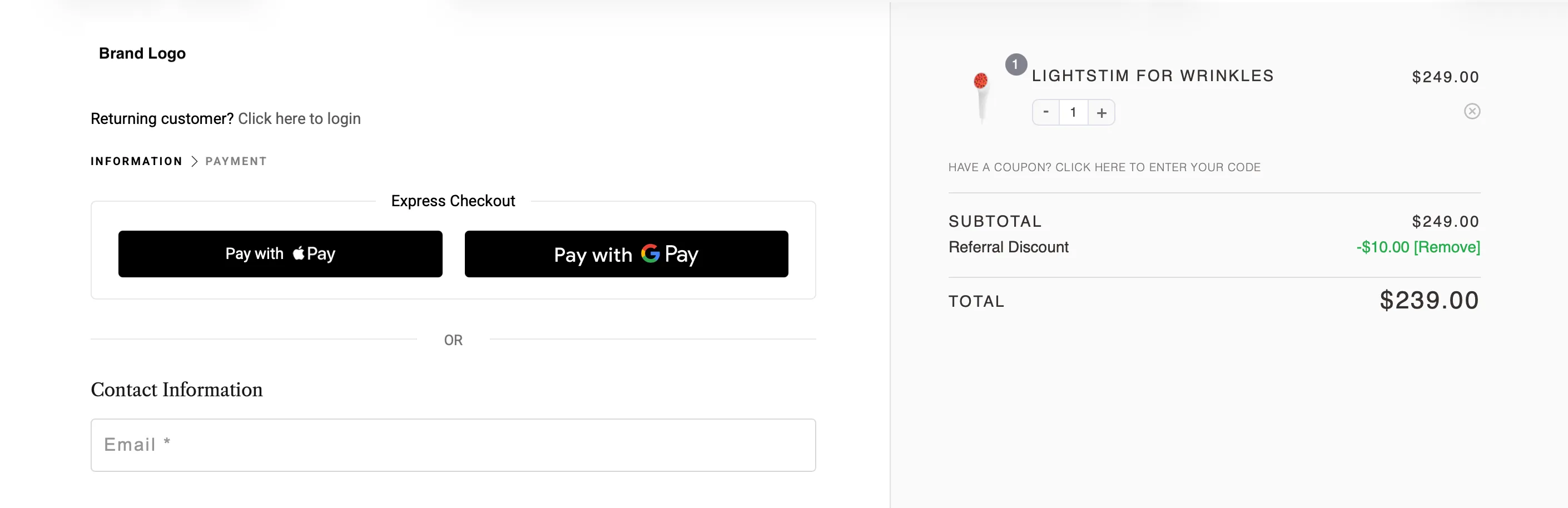
For how the discount itself is configured — type, minimum, cap, stacking — see Discounts & Coupons.
Where you see the activity
Everything a referred customer does shows up in your dashboard at app.advocateloop.com, under Activity:
- Clicks — referral link visits
- Claims — referred customers who have started a purchase
- Conversions — completed, paid orders, with the advocate credited
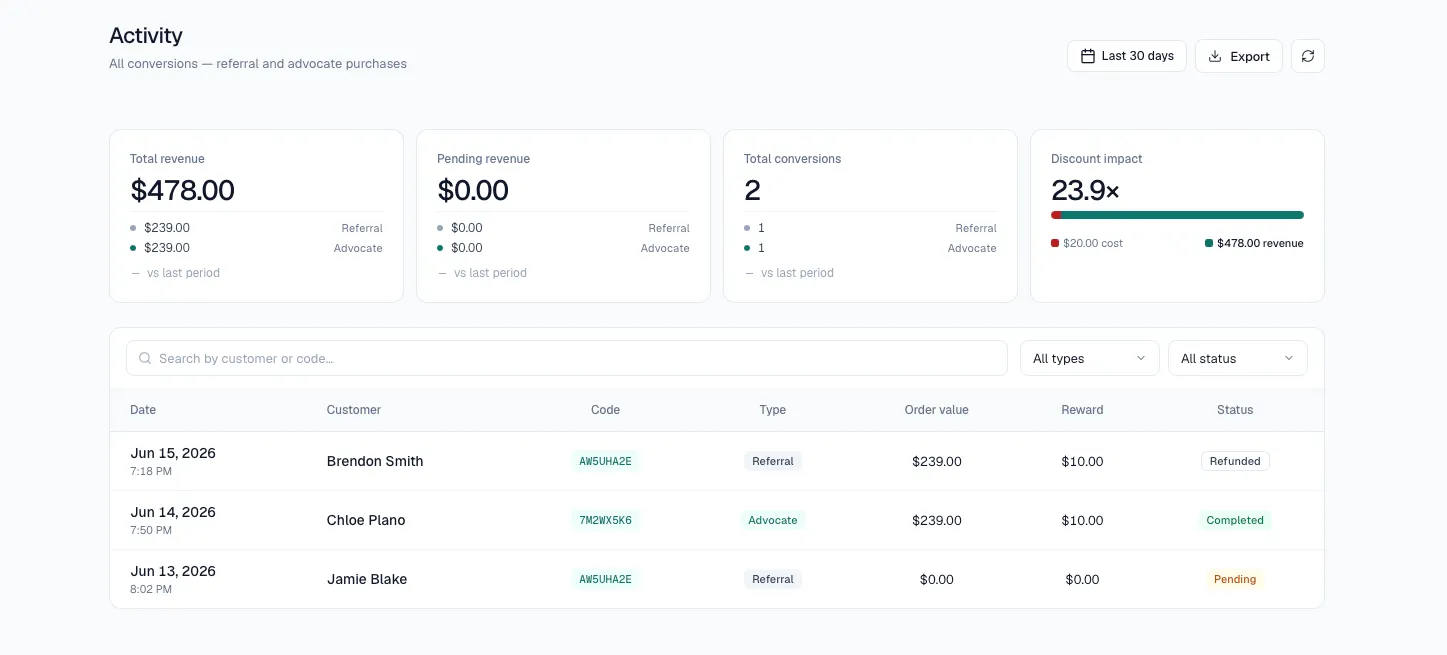
You don’t manage any of this in WordPress. The WordPress side runs the tracking and shows the discount; the numbers, advocates, and rewards all live in your dashboard.
Refunds
If you refund an order in WooCommerce — fully or partially — refund as you normally would. There’s nothing extra to do.
Related
- Discounts & Coupons — Configure the discount referred customers receive
- Settings — Plugin settings that affect the on-store experience
- Troubleshooting — What to check if something doesn’t appear as expected